How I work
Build it so everyone can build
- Design in code. I designed the chat UX straight in code, and built every component standalone in Storybook, so each one is easy to build and test on its own.
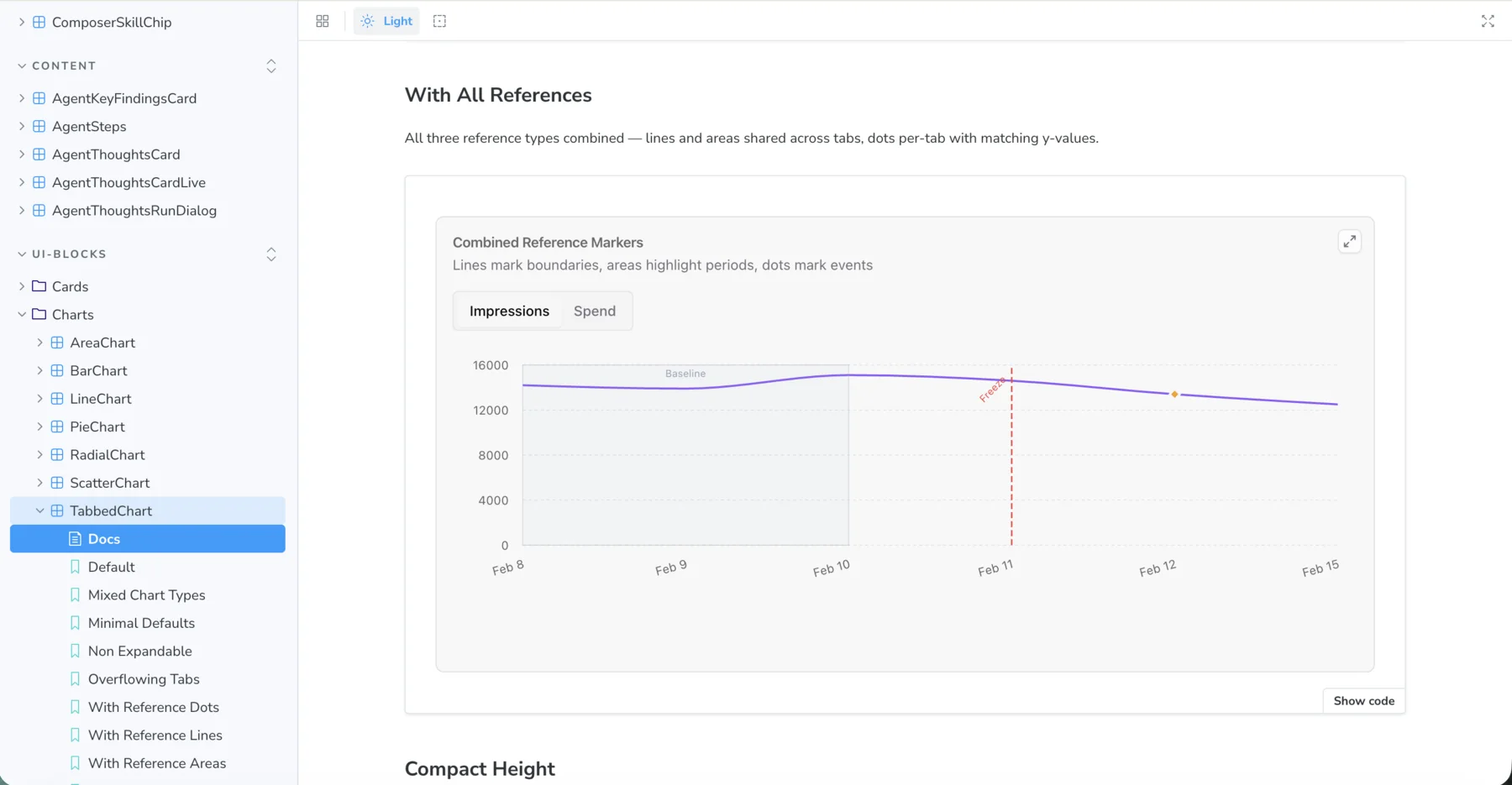
- Docs as context, for people and agents. As the team’s core frontend engineer, I set up the foundations so everyone could build interfaces with AI coding agents. The docs are their context, so I’ve kept them up to date with every version since.
- Use cases
- User research
- Prototype
- Feedback
- Iterate
- Ship to prod
…and round again.
Foundations
Bones before features
- Defined primitives, AI elements, screens and layouts before features piled on.
- Those layers became the base of our block concept: everything the model renders is built from them.
-
Screens & layouts
ChatCanvas panelWorkspace
-
Blocks
@strivelabs/ui-blocksTableChartFormArtifact card
-
AI elements
AI-native piecesStreaming textSuggestionsSection editor
-
Primitives
@strivelabs/ui-coreButtonInputTabsPopover
the ground our block concept stands on
The bet
Own the chat, don't rent it
- Streaming and AI elements: build it ourselves, or pull in a ready-made kit?
- I bet on owning it. Chat is the core, and flexible interfaces are our moat.
Ready-made kit
- Fast on day one
- Their abstractions, their roadmap
- A bundle of things we would never use
- Wait on upstream for every fix
vs
Own it the bet
- Chat is the core of the product
- Flexible interfaces are the moat
- Iterate daily, zero dependencies
- Grow only what our problems need
Design call · slots & canvas
Move the canvas out of the thread
- Answers can be rich surfaces: artifacts, an editor, whole pre-built agent interfaces.
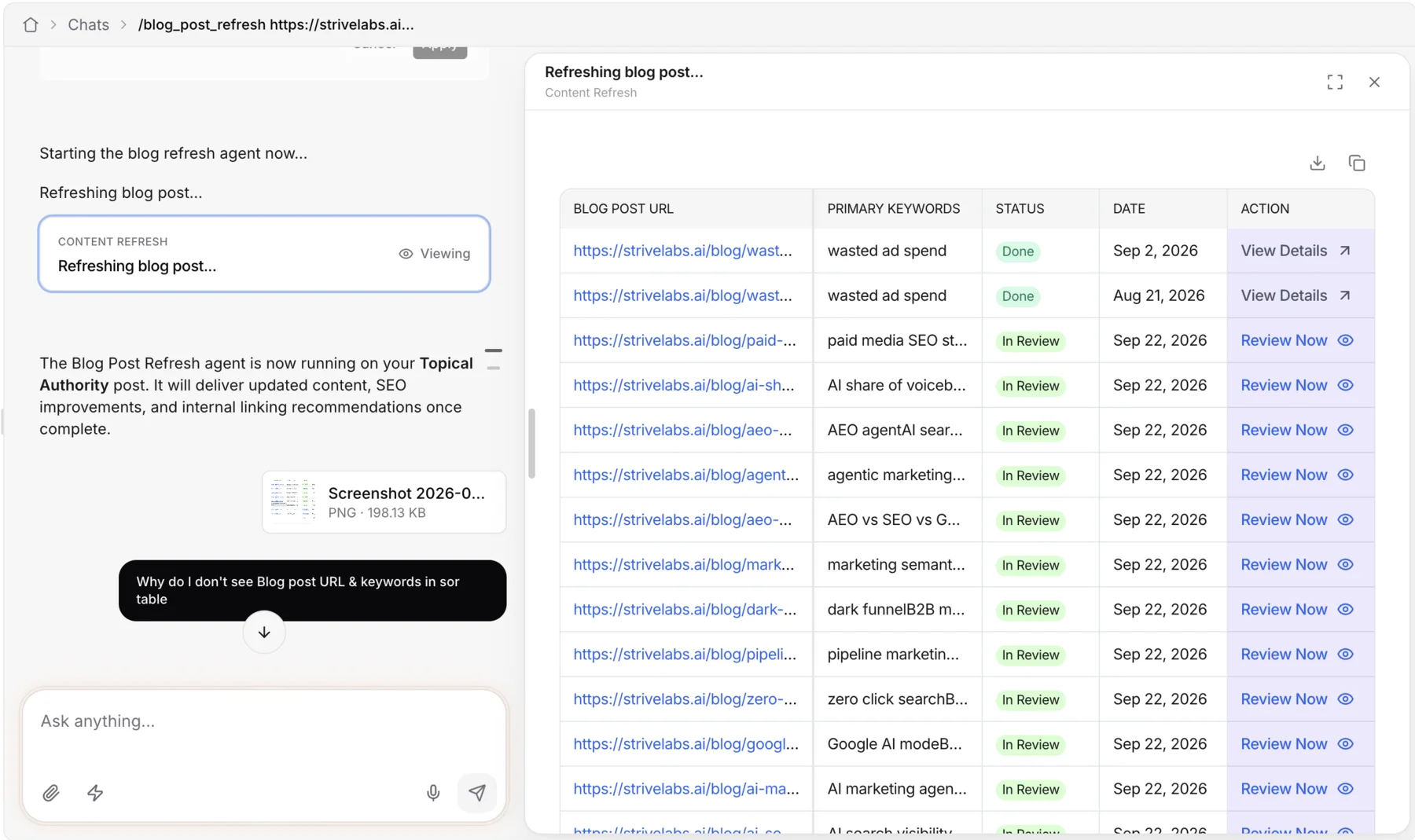
- We first rendered them inline. It worked, but it kept hurting my taste, so I redesigned slots to open in a right-hand panel.
Before · inline in the thread
- Long tables and dashboards run past the fold
- The question that asked for it scrolls out of view
- Squeezed to the width of the chat column
After · a canvas beside the thread
- Panel stays put. Only its content scrolls
- Chat stays alongside, a "Viewing" chip links the two
- Drag to resize the split
- Go fullscreen to focus on the artifact
AI elements registry
The pieces our use cases asked for
@strivelabs/ui-corefor the foundations,@strivelabs/ui-blocksfor reusable blocks, with our AI elements across both.- Most AI kits don’t ship with these. I thought a few less common pieces would suit marketers well, so I pitched them to the team as experiments, and designed and built the ones that stuck. Five I’d pin:
- Overflowing tabs Many series, one strip. Scroll it, never wrap it.
- Charts with markers Dots, lines, areas, or all three. Show what changed, when.
- Editable list Grouped rows the agent drafts and you tweak before Apply.
- Stacked suggestions Next prompts, fanned like a deck, not a wall of chips.
- AI section editor Select a section, say what to change, get an edit back.
Under the UI
A parser and a contract for everything
- Custom streaming parser between backend blocks and the renderer. Inspired by langdiff, extended with our platform specifics.
- One contract system for interactive, read-only and stateful components alike. Hard to get right, and it took a lot of client and server pairing.
- Server LLM tool calls → blocks
- Streaming parser custom · langdiff-inspired + our extras
- Renderer block type → component
↑ both ends read from one source ↑
Shared package · client + server
ContractsPrompt registryZod schemas
One contract system for every kind of component: interactiveread-onlystatefullive slots
Misses & lessons
What I'd tell day-zero me
-
MissRendered rich slots inline, in the thread.
LessonGive big surfaces their own room. The container should fit the content, not the other way round.
-
MissAsked the model for one giant JSON per answer.
LessonMake complexity additive. One bad block should never sink the whole reply.
-
MissWorried a side panel would look like a copy.
LessonFamiliar is a feature. Stand out on what goes inside the pattern.
-
MissNo AI playbook on the team, me included.
LessonBenchmark, borrow, break, repeat. Ship small and learn in production.
Deep dive · ~15 min read
From answers to UI: how we built Strive’s generative UI engine
The options we weighed, why we took the bet, and everything that broke along the way.
Read the full story