Backstory
A graph on a files page
- Our knowledge base is where Strive keeps what agents need to know about each customer:
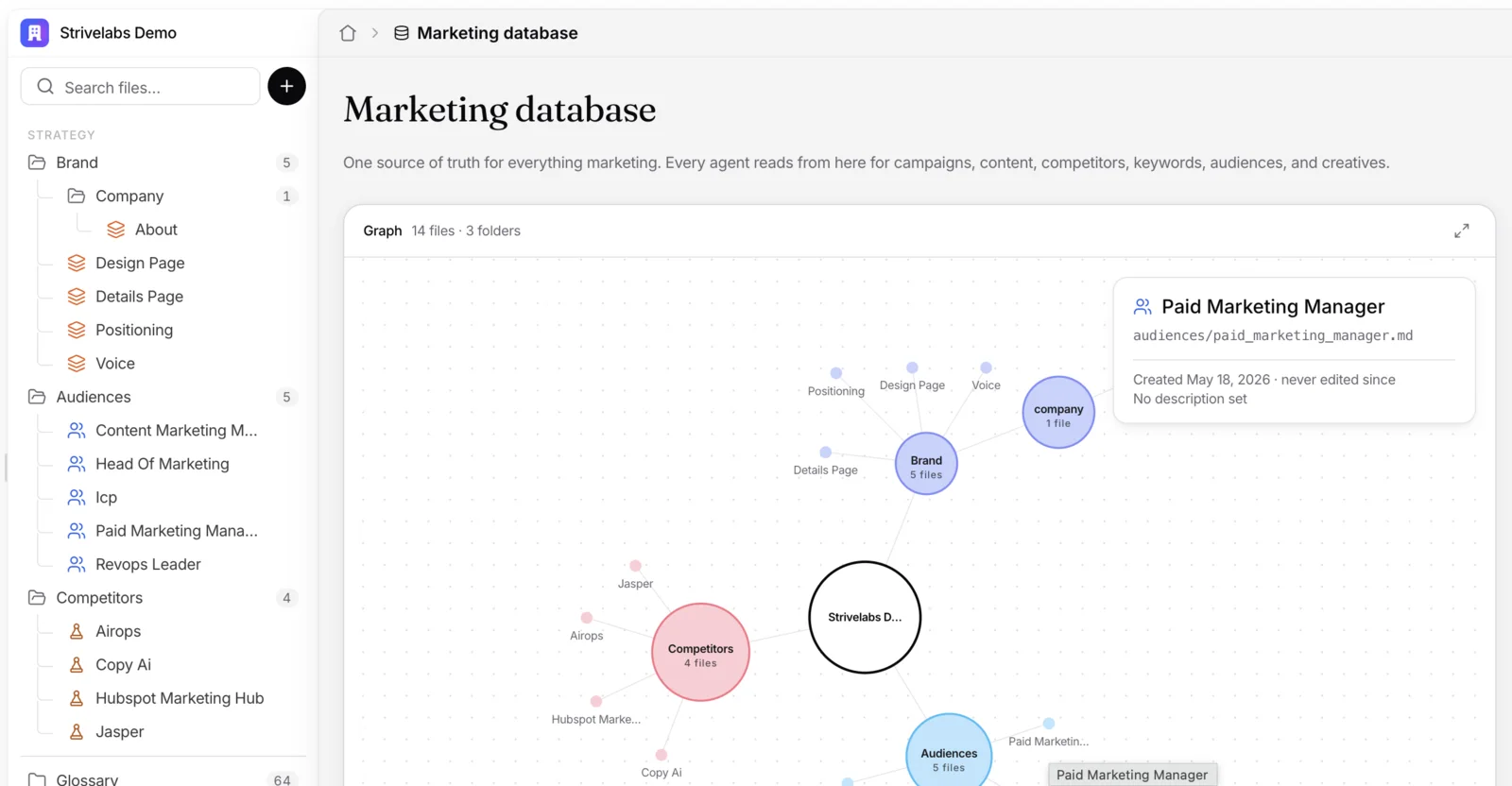
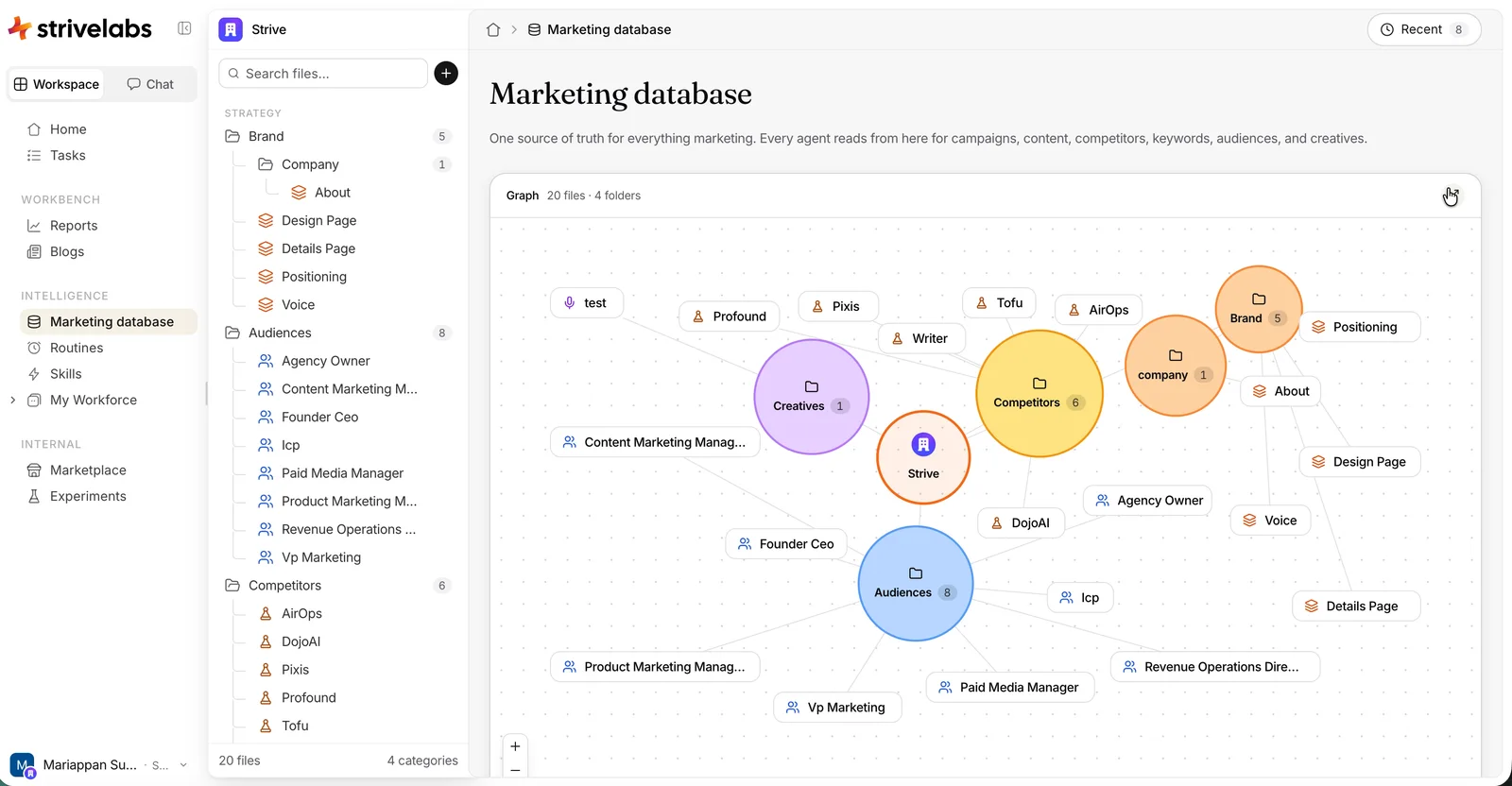
.mdfiles on brand, audiences, competitors and more, filled in at onboarding. It’s a files and folders module, so it shows as a second sidebar next to the platform one. - A colleague brought in a new home for it: a graph you can drag, with every folder and file as a node. On an audit, I felt it could do more for usability, not just for looks, so I offered to build on top of it.
The audit
More to decide than to do
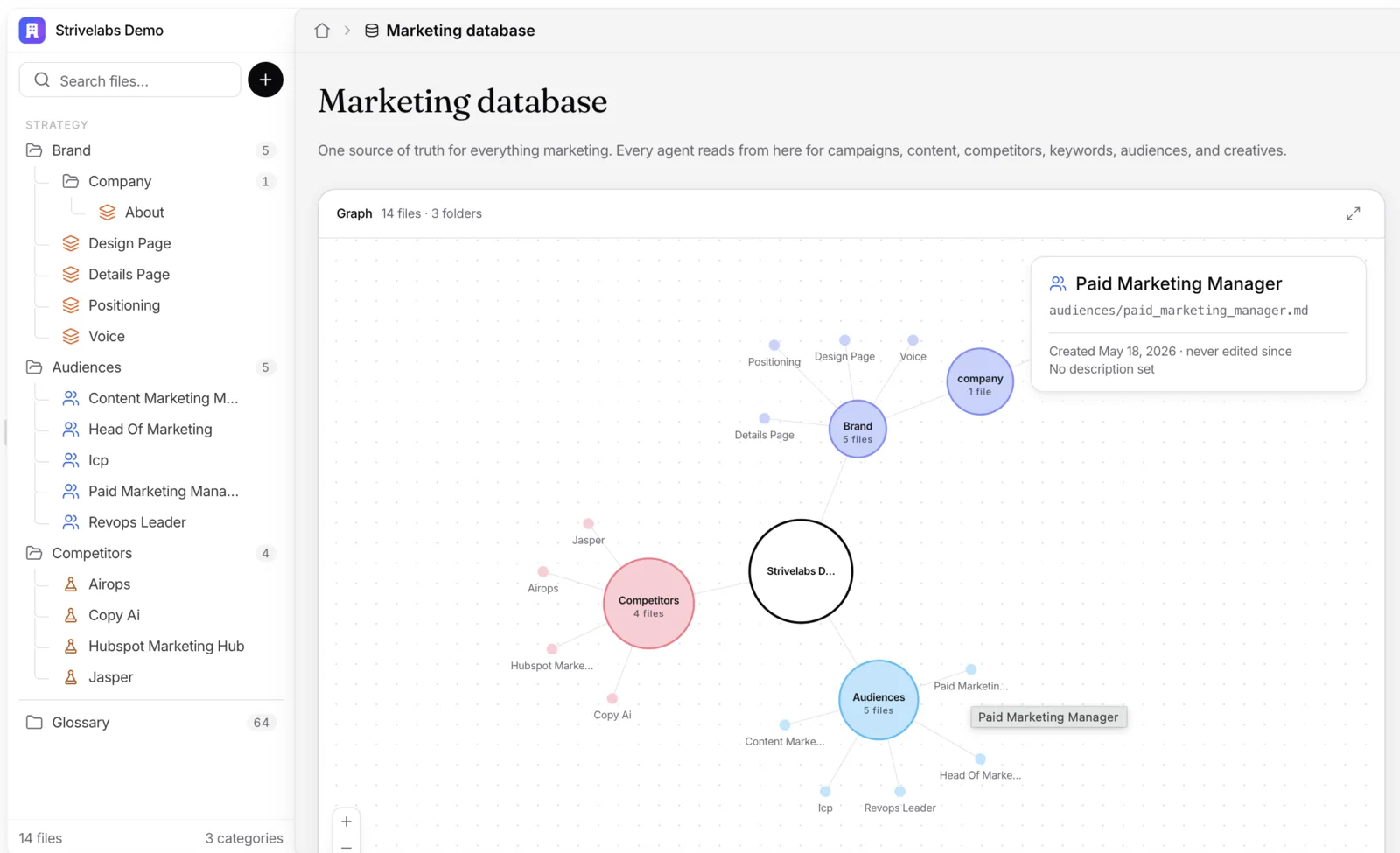
- Two sidebars side by side, each with its own switcher and plenty of options. A graph that had to work with one branch or many, inside a page that scrolls. A recent activity log, which wasn’t what people came for.
- Put together, too many controls and too much detail on one screen. So the question wasn’t how to make the graph prettier. It was how to make the whole page calmer.
1
2
3
4
5
- A second sidebar, with a switcher of its own. Files and folders sat beside the platform sidebar, each with a switcher at the top.
- A drag surface in a scrolling page. The graph ran past the fold, so dragging the graph and scrolling the page fought over the same gesture.
- Files as small dots. A tiny target, and long names cut short.
- Everything on hover. The same details the file’s own page already shows.
- Full screen in a modal. Open a node from there, and the modal closed as the page changed.
Design call · the proposal
Calm the surface down
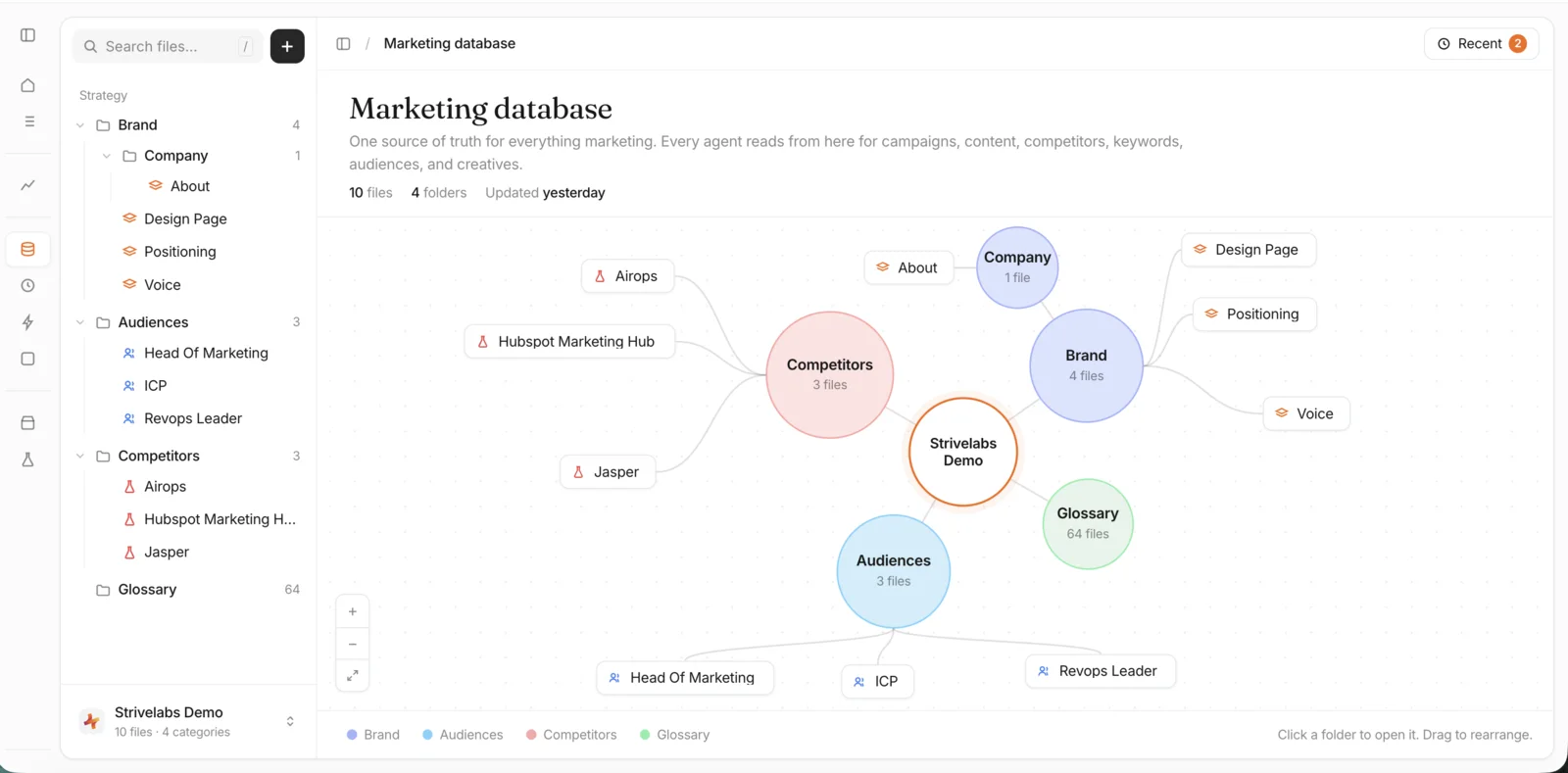
- I prototyped the changes in Claude: no page scroll under a drag surface, the platform sidebar folded by default, recent activity out of the way, files as pills, and softer colours.
- And I treated the graph as an interface, not a picture: how it looks with a few nodes and with a crowd, how it says “click me”, and what moves when someone drags.
1
2
3
4
5
5
- More room for the graph. The platform sidebar folded to icons, and the page stopped scrolling, so nothing scrolls under a drag. I took both back, more on that below.
- Recent, one click away. Activity moved behind a button with a count, instead of taking a section of the page.
- Pills, not dots. Each file is a labelled pill with its icon: a bigger target that looks clickable.
- Softer colours, with a key. Folders keep a light tint, and a legend says which is which.
- Controls in one corner. Zoom, fit and full screen together, and a hint that says what clicks and what drags.
Design call · the details
Less up front, nothing hidden
- Each of these started as something that felt off in use, not on screen. Full screen opened in a modal, while everywhere else in the platform it stretches in place up to the sidebar. And because nodes link to other pages, a click inside the modal closed it and jumped away.
- So I kept full screen in the same view, like everywhere else, and went through the rest the same way: show less up front, but keep it one step away.
-
Full screen
BeforeA modal over the page. Clicking a node closed it and jumped to another page.
AfterStretches in place up to the sidebar, like every other full screen in Strive.
-
Recent activity
BeforeA section of its own below the graph. Easy to miss, and it grows fast, with too little detail yet for a page of its own.
AfterA pill in the header that opens a scrollable panel. Less prominent, never hidden, and room to grow.
-
Files on the graph
BeforeSmall dots you could click.
AfterPills with an icon and a name: a friendly hit target that looks clickable.
-
Hover card
BeforeEvery detail on hover, the same ones the file’s own page shows.
AfterJust enough to know what it is. The rest is a click away.
Before · after
Same page, fewer questions
- Both sidebars stay open, the title and description sit where every page has them, and the graph gets a card of its own with full screen in the corner. Recent activity lives behind a button in the header.
- Files are pills with icons, and a details card shows on hover. A folder opens its files, and a file opens the doc.
‹ ›
Smudges
Two calls I took back
- Folding the sidebar away. If it closed by itself on this one page, people would wonder where it went, and the app would need extra logic to detect the page and juggle both sidebars. I talked it through with Claude until I was confident, and kept both sidebars open.
- Locking the page scroll. It made this page behave unlike every other page in the platform. If the goal is to fit the graph on screen, the placement can change while the layout stays the same: the same title, description and spacing as everywhere else.
What dried
What I’d keep
-
MissFolded the platform sidebar away on one page only.
LessonDon’t move furniture people didn’t touch. Sidebar state belongs to the person, not the page.
-
MissLocked the page scroll to make room for the graph.
LessonConsistency beats a perfect fit. Keep the shell the same, and fit the surface inside it.
-
LessonA graph is an interface, not a picture. Ask how it looks with a few nodes and with a crowd, how it says “click me”, and where things go when someone drags.
Calm isn’t fewer features. It’s fewer questions.