The component registry is two packages in our monorepo. @strivelabs/ui-core holds the foundational components, and @strivelabs/ui-blocks holds the bigger, ready-made blocks built from them. Every app and agent on the Strive platform pulls from both.
Not a public UI library. A shelf for what we’ve already built.
This post covers the journey and the technical calls behind it: where it came from, how it’s split, how it’s built, and the one tool I swapped along the way.
A little bit of backstory
The first plan for Strive was a few AI-centric micro-SaaS apps on different marketplaces, plus a website for the brand. From day zero the plan was platform first, so I was clear that anything I built had to be modular: components, design tokens and layouts.
I didn’t think we needed a component library of our own right away. shadcn/ui, themed to Strive with a modular Tailwind preset, solved most of it. Building only what’s critical was the rule. (How that base came together, from the first doc of design choices, is part of the design ecosystem story.)
Then we started building AI agents: a marketing assistant, an engineering Slack partner and a few more. The idea was to experiment quickly, break things and learn. And every agent kept needing the same things: the same buttons, the same editors, the same bits of chat.
Patterns before a library
So around April 2025 I started collecting those patterns into the monorepo. The goal wasn’t a well-documented public UI library. I was convinced that if I gathered what we’d already built across agents, picking the right pieces for the next use case would get easier, and so would standardising and reusing them.
The registry also became a playground for understanding the design dynamics at Strive: what we kept reaching for, what we kept reinventing, and what only one agent ever needed.
The one-liner
Themed shadcn/ui components at the bottom, composed blocks on top, and every app pulls both straight from the workspace. Nothing is published, and nothing is copied between apps.
-
Apps & agents
the platform clientChatStudioAgent screens
-
Blocks
@strivelabs/ui-blocksRich text editorCommand searchDrag and dropChartsChat pieces
-
Primitives
@strivelabs/ui-coreButtonInputDialogTableDropdowncn()
-
Borrowed, not reinvented
shadcn/uiRadixTailwind preset
every app pulls from the shelf, nothing gets published
Two shelves, not one
I split the registry by altitude. Primitives change rarely and get used everywhere. Blocks change more often and carry more opinion. Keeping them apart meant a new rich text editor never had to ride along with a button fix.
@strivelabs/ui-core
- Core components: buttons, inputs, dialogs, cards, tables, dropdowns
- shadcn/ui on Radix and Tailwind, themed to Strive
- Small helpers like cn() for class merging
@strivelabs/ui-blocks
- Ready-made blocks built from ui-core
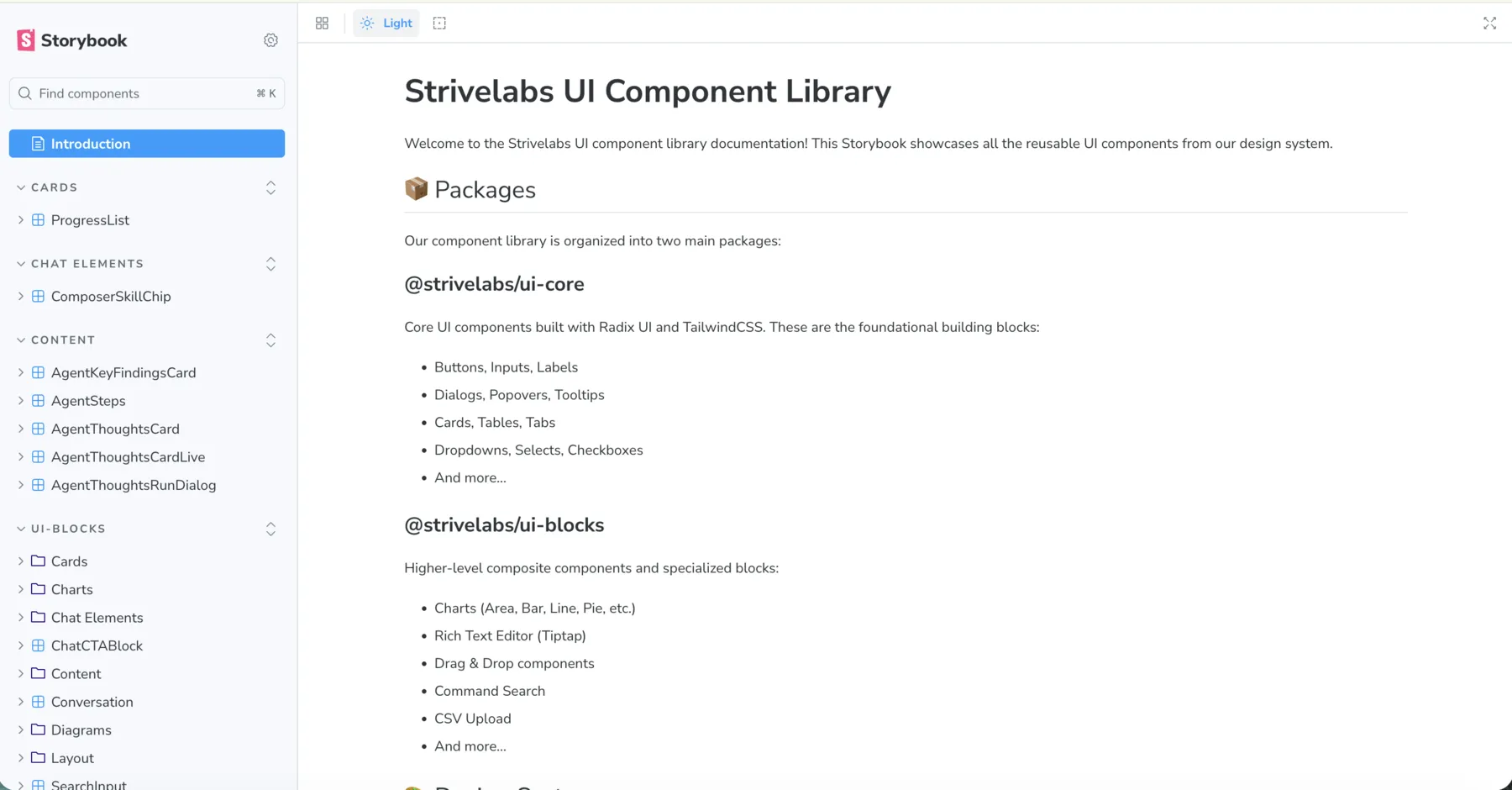
- Charts, a rich text editor, drag and drop, command search, CSV upload
- Chat components and utility hooks
Both shelves follow the same rule:
- No app state, no business logic. Components are presentational. They take props and render, and they don’t know which agent, store or API sits behind them.
- Brand first. Everything follows the Strive theme, so a block dropped into a new agent already looks like the platform.
- Extend when there’s a need. A custom component or block joins the shelf when we spot the same pattern twice, not when we imagine we might need it.
That first rule is the one that paid off most. Because blocks never reach into an app, the chat components from our generative UI engine could live in ui-blocks and be reused by anything else.
Build apart, consume as a whole
We had no plans to offer a builder experience on the platform, so I saw no good reason to publish these packages anywhere. Living in the workspace was enough.
Each app lists them as "@strivelabs/ui-core": "workspace:*". pnpm links the local package, Turborepo knows the order to build things in, and a change shows up in every consuming app without publishing or manual linking.
- Edit Change a component in ui-core or ui-blocks
- Watch The package rebuilds a dev script, in watch mode
- Workspace Every app picks it up linked with workspace:*, nothing published
- Storybook See what already exists and build the next one on its own
no publish, no npm link, …and round again
Later I set up a Storybook playground beside the packages, so developers can see what already exists and build components on their own before they reach any app.
It’s also why the agent scaffold could be so strict from June 2025: every new agent UI is built from ui-core only, so it looks like the rest of the platform on its first run.
A bundler for a library, not an app
Workspace packages still need building. Apps want plain JavaScript and type definitions, not raw TSX. So before choosing a tool I looked at how the bigger open-source design systems ship theirs.
| Design system | Builds with |
|---|---|
| Material UI (MUI) | Rollup and Babel |
| Chakra UI | tsup, close to what I picked |
| Radix UI | esbuild directly |
| Ant Design | Webpack and gulp |
| Shopify Polaris | Rollup and TypeScript |
I went with tsup, which builds on esbuild. It had the best developer experience for a TypeScript library:
- Zero config. TypeScript works out of the box, and the whole build fits in a dozen lines.
- Types for free. Declaration files come out of the same build, so apps get autocompletion.
- Fast. About 10x faster than a traditional Rollup or Webpack setup.
- Both formats. ESM and CommonJS from one command.
- Tree-shaking. Unused code gets dropped.
import { defineConfig } from "tsup";export default defineConfig({ entry: ["src/index.ts"], format: ["cjs", "esm"], // both, for every kind of consumer dts: true, // types come for free external: ["react", "react-dom"], // the app brings its own React treeshake: true, sourcemap: true, clean: true,});Why not Vite?
It’s possible, and I love Vite for apps. But for a library it adds about 100 KB of runtime helpers, it’s tuned for apps rather than tree-shaking, and it gives less control over type generation and output.
Three lines from people who build these tools stuck with me while choosing:
- Rich Harris, creator of Svelte. “Use the simplest tool that meets your needs: tsup for TS libraries, Vite for apps.”
- Jared Palmer, Turborepo. “Dual package format is non-negotiable for modern libraries.”
- Mark Erikson, Redux. “Peer dependencies prevent version hell in component ecosystems.”
Apps get a dev server. Libraries get a bundler.
Small rules that keep it light
Most of the work wasn’t the bundler. It was a handful of package settings that the industry has mostly agreed on, and that I followed from the start.
- Ship ESM and CommonJS. 92% of surveyed open-source libraries need the dual format (State of JS, 2024). ESM serves modern frameworks, CommonJS serves Node and older tooling.
- Ship types. 98% of the top 1,000 npm libraries do. Ours point editors straight at the generated declarations.
- React is a peer, not a passenger. 100% of React component libraries use peer dependencies for React. The app brings its own React 18 or 19, there’s only ever one copy (so context doesn’t break), and the bundle comes out about 98% smaller than one with React inside.
- Declare no side effects. With
sideEffects: falseand ESM output, apps only keep what they import, as 89% of modern libraries allow. - Ship only the build. The package exposes its
distfolder and nothing else.
None of this is new. That’s the point: a new teammate, or a coding agent, finds exactly what they’d expect.
When the tool goes quiet
tsup worked smoothly for us. But by mid-2025 it looked like it wasn’t being actively maintained any more. The maintainer had moved on to other work, and fixes had mostly stopped.
The community pointed to tsdown, an easy-to-migrate, drop-in replacement built on Rolldown instead of esbuild, which makes it faster and more capable.
I also considered moving to a conventional bundler like Vite, or to Rolldown itself. But the reason I picked tsup in the first place was the zero-config experience, and keeping library builds as light as possible. tsdown kept both.
Vite or Rolldown directly
- Built for apps, library mode on top
- Config to write and keep up
- A real migration for every package
tsdown · drop-inthe call
- The same zero-config shape as tsup
- Built on Rolldown, faster
- One migrate command, about a minute
So in August 2025 I moved both packages over. The migration guide comes with a migrate command, and the whole thing took hardly more than a minute. With an app-style bundler it could have taken a lot longer.
Pick tools you can leave in a minute.
Where it stands today
The proudest part is how these two packages grew over time and held up. Today they power the entire platform client, from the first agent screens to chat, Studio and everything after.
The list I wrote at the start (more foundational components, AI-first generative UI components, a Storybook, unit tests, a theme system, accessibility) is now mostly ticked off.
I’ll admit it didn’t stay tidy on its own. As we moved from micro-SaaS apps to agents to a marketing OS, and I worked with a different designer on each pivot, the registry and our Tailwind config grew several versions of the same thing, and Storybook got confusing.
Sorting that out, with our designer, turned into a design system doc for people and coding agents. The registry is its source: what agents read about each component is generated from the component source, the Storybook stories and the platform token CSS. That part is a story of its own.
What I’d keep
- Collect before you curate. The registry started as patterns we’d already built twice, not a library we planned up front.
- Keep components free of app state. It’s why chat blocks could move into a shared package and be reused untouched.
- Split by altitude. Primitives and blocks change at different speeds, so they live on different shelves.
- Use a library tool for a library. Vite for apps, tsup and then tsdown for packages.
- Let the app own React. A peer dependency means one copy, the app’s version, and a much smaller bundle.
- Pick tools you can leave. Zero config made the move from tsup to tsdown take a minute, not a sprint.
From a theme to the whole platform
Thanks
The registry is a team effort. Every agent, chat block and screen that needed a new part helped shape it. Thanks to the whole team at Strivelabs for building on it, poking holes in it and making it better together.