Backstory
Plug and play, for the UI too
- In June 2025 we were prototyping agents for early clients and friends. Our backend let builders plug components into a DAG and have a workflow ready in no time.
- Our CTO proposed screens: one standard set every agent shares, like configure, install and review. I formulated the framework around it, in React.
The backend · already plug and play
- Components dropped into a DAG
- Almost anything n8n can do
- A workflow ready in no time
&
The UI · the same ideathe tip
- Screens every agent shares
- Layouts and hooks from a scaffold
- Builders wire data, nothing else
Design call · scope
A builder for us, not for everyone
- One day, we pictured it as a lightweight agent-builder framework, where anyone could build agents the way we did. But the agent-builder space was already crowded.
- So we kept the DX internal, and put our effort into reliable agents that do the job, with no slop.
A public agent builder
- A lightweight agent-builder framework for anyone
- A crowded space already
- No clear way to stand out
vs
Internal DX · reliable agentsthe call
- Our own builders, moving fast
- Interfaces we could open up later
- Agents that do the job, with no slop
Foundations
One command to a working agent
pnpm clone-agent-templatewrites an agent that already triggers a workflow, shows progress and renders output.- Builders only wire the backend’s data to the screens. No new components, no padding or colours, no React Router or Zustand to learn.
Terminal
$ pnpm clone-agent-template my-agent
src/agents/my-agent/
-
constants/index.tsnode IDs and the steps for the progress view you set -
screens/TriggerScreen.tsxa validated form that starts the run you change -
screens/LoadingScreen.tsxlive, step-by-step progress ready -
screens/OutputScreen.tsxoutput, errors, try again, copy you shape -
assets/room for the agent’s own images empty
a working agent on the very first run
Design call · abstractions
The platform handles the complexity
- Three hooks cover an agent’s whole run: start a workflow, read its output, start over.
- So builders never write to the store, poll a run or juggle execution IDs. Agent-specific behaviour goes in callbacks.
You write
The formThe data mappingThe output view
-
useAgentWorkflowTriggerstart a run -
useAgentOutputread its output -
useAgentResetstart over
builders never reach below this line
Handled for you
The Zustand storeWorkflow APIsPollingExecution IDsAgent statesDefault error alerts
Design call · consistency
Consistent by default
- The template uses only our component registry (
ui-core) andlucide-reacticons, so a new agent looks like the rest of the platform from its first run. - Every agent moves through the same screens, from an empty state to the result. I designed the first ones as rapid prototypes, straight in code.
IdleTriggerScreen
configure is a screen of its own
CompletedOutputScreen
- Overview
- Critical issues
- Dropping impressions
- Post-click drop-off
- Strong performance
a way into chat, early on
Design call · routes
Relax the rails
- Screens kept every agent inside one narrow UI model. Within a month it felt too restrictive: content agents needed rich, multi-view flows, while a sales agent needed far less.
- So I relaxed it. With path-based routing, and a team now building with coding agents, each agent gets the interface its use case needs, instead of fitting into one model.
-
1Triggera URL and keywords to refresh
-
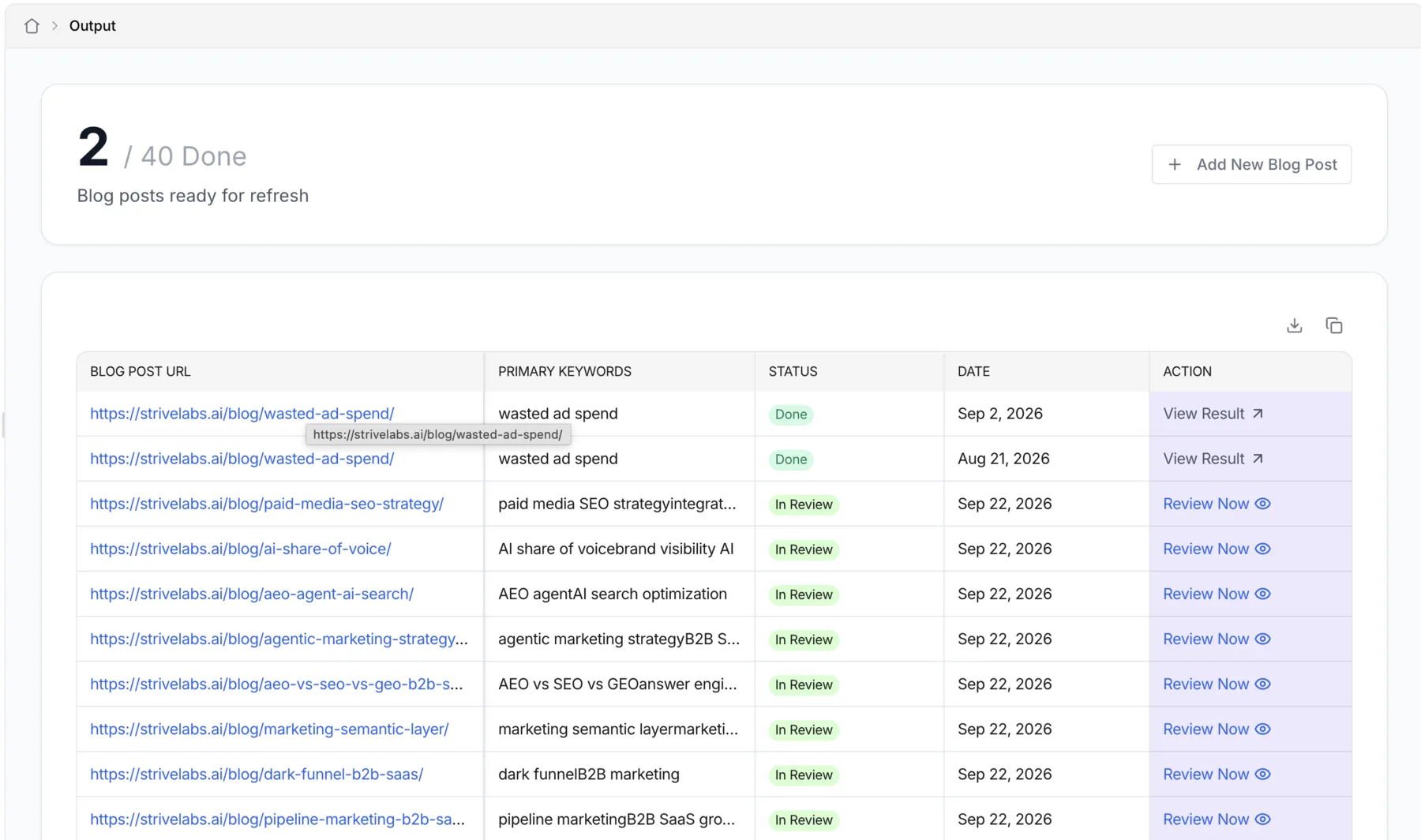
2Outputthe queue, with a status per brief
4/ 4 done -
3Resultthe draft, with an AI edit inline
AI edit -
4Reviewapprove or reject each suggestion
Approval items
every view has its own URL: share it, refresh it, come back to it
Coding agents
Rails a coding agent can follow
- By then the team was writing frontend code heavily with coding agents. Rough prototypes needed only the design system and standard React guidelines.
- So in July 2025 I added skills, one more layer of abstraction. Builders didn’t need the platform’s UI concepts in their heads, or in their coding agent’s context.
- The handover guide hooks, components, rules and pitfalls
- @strivelabs/ui-core the design system, and nothing else
- A similar agent a working pattern to copy from
- The route recipe a layout, ROUTES and one App.tsx line
Built by a coding agent
A rich agent UI that looks like ours Same hooks, same components, its own URL.written for people and coding agents alike
The turn
Agents can’t work in silos
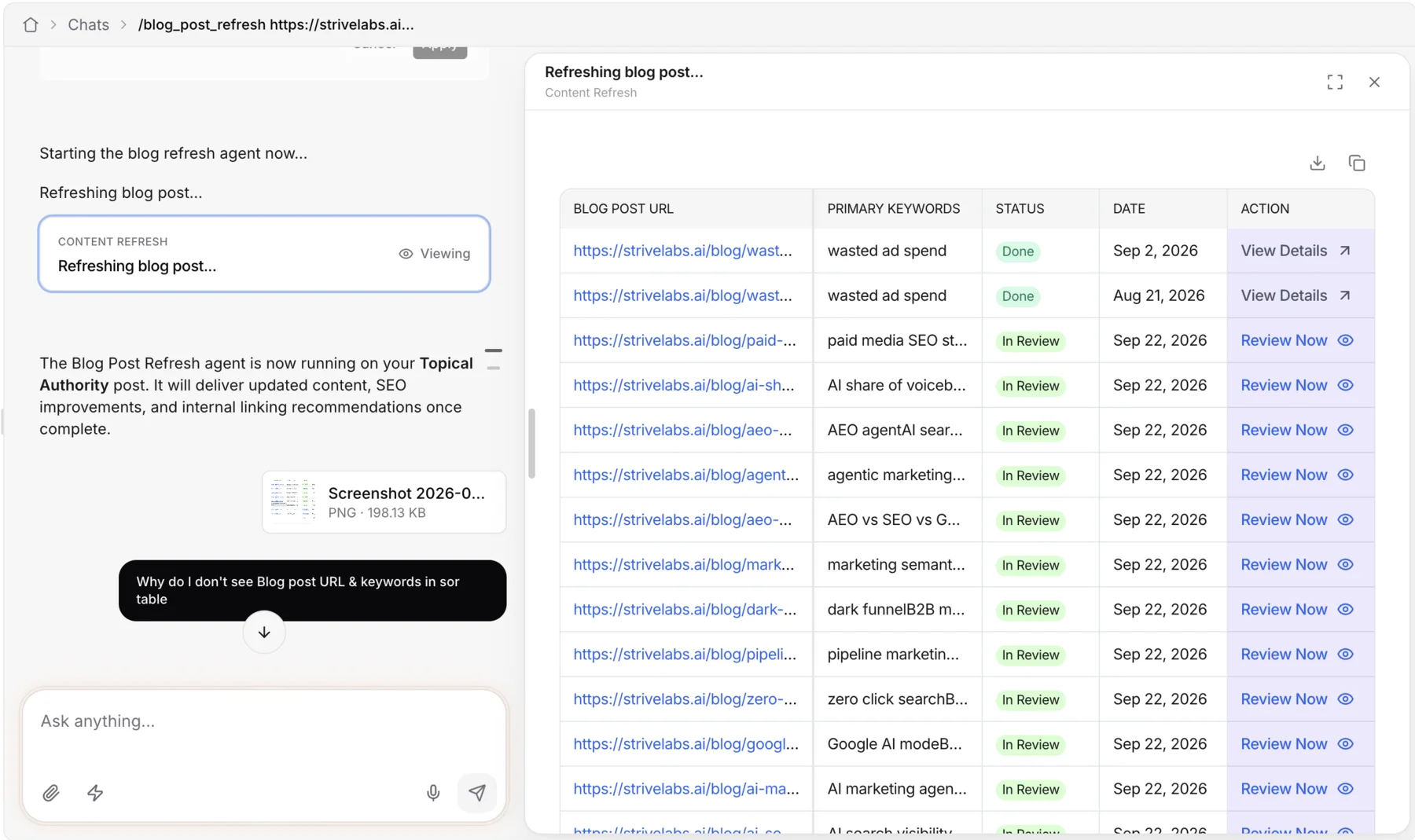
- Tasks stopped being siloed, and agents needed to work together. Chat was emerging as the natural way in.
- So we moved to generated UI in Strive AI right away. Nothing was thrown away: big, dedicated tasks became agent slots, like refreshing content or writing a draft.
 ‹ ›
‹ ›
Today
Hand the UI to the agent
- Chat answers with our components, where consistency matters. Reports went further: in Strive Studio, the agent writes its own HTML.
- Next, people build their own apps, not just reports, with agents working together as a team: a multiplayer agentic Marketing OS.
- Scaffold Developers write the screens on our hooks and ui-core
- Routes Coding agents write them too following the guide and a similar agent
- Gen UI chat The agent composes our components one chat, generated UI
- Studio The agent writes its own UI HTML in a sandboxed canvas
each step hands a little more of the UI to the agent
Misses & lessons
What thirteen agents taught us
-
MissFit every agent into one template of screens.
LessonRelax the rails before they break. A content agent and a sales agent don’t need the same shape.
-
MissMoved new agents to routes, but left the scaffold on the old screen tree.
LessonThe template is the real doc. Move it the day the pattern moves.
-
MissLet the guide live in three places, with hook names drifting apart.
LessonOne source of truth, for people and coding agents alike. Both follow a stale guide faithfully.
-
MissKept making it cheaper to build one UI per agent.
LessonAbstractions buy speed, not scale. Once agents had to work together, the answer was one surface.
We started by making agent UIs cheap to build. We ended up letting the agent build them.Deep dive · ~12 min read Who writes the UI? How agent interfaces evolved in Strive From a scaffold and three hooks, to rails for coding agents, to one chat, to agents writing their own UI. Read the full story